

Table of Contents
Introduction
We all often use different browsers to search for information. The information can relate to any industry, service, or product. Have you wondered how some users find the required information on a search engine in a short span of time, or how they usually don’t take much time to find it?
The answer is “Advanced Search Queries,” a very powerful, lesser-known feature that unlocks exact information search capabilities. Most users uses search engines for basic searches. Advanced search queries including dorks. It help users to uncover specific information with accuracy.
Dorks (advance search queries) can make user search easy. But how a user can work around with dorks. what are these dorks? Is it complex to understand and work around with dorks. Let’s find out.
Dorks

Dorks is a special characters string to find the necessary information not available with simple character search. It allows users to find information based on file types, domains.
Cybersecurity experts, researchers, and testers use dorks across different search engines, not just Google, to identify crucial information related to target websites.
How Dorks Operates?
Dorks are used by combining special characters with the targeted keystrokes. Dorks helps in refining results, identifying the information which is not easily accessible via simple search keystrokes.
For instance – using different file and the search operators with the special characters restricts the search to specific domain holding the search term.
Dorks is generally used by the researchers, testers, whistle blowers, cyber attackers. It obtains publicly available data using single word queries, contains different characters and special symbols. Dorks extracts open ports, default configured IOT devices, default credentials. Dorks main intend is the refine the searched keywords. As per recent web analysis via “Safeaeon” – 43% organisations has admitted that their crucial information was identified by the dorks.
Why Dorks are Considered as a Powerful Advanced Search Operators?
A common delusion often everyone thinks, in order to attack any server or IP address. A complex attack or method is required to execute but in reality attackers starts by looking what’s publicly exposed. Usually every attack needs a lot of information about their target. They initialise by using dork queries (advanced search operators). Dorks are commonly are linked with the Google search engine. If you search the term “Google Dorks”. Search will response with large amount of websites explaining about Google dorks. Below, we will demonstrate few queries of “Google Dorks”. Any user can use such queries to find the required information.
Google Dorks
We will showcasing our own practicals with examples and will also add few references for more better understanding.

The closest thing to an official reference is the “Google Advanced Search Operators” document compiled by Daniel M. Russell, a senior research scientist who worked for Google.
Dorks Background
For several years, researchers, whistle blowers, and security professionals have used Google dorks to identify sensitive data. Johnny Long first introduced Google dorks in 2002. Search engines have improved indexing and query refinement over time, which has produced more precise search results. Continuous advancements in Google dorks have increased their effectiveness during the information discovery phase.
Pentesters, researchers, analysts uses Google dorks to identify particular bugs, vulnerabilities, and sensitive information by deploying complex google dorks. It is also used in passive reconnaissance technique in the early phase of pentesting. Attackers may use complex dorks to gain the access to the confidential information.
Refining Open Source Intelligence (OSINT) using Google Dorks
Open source intelligence is a technique uses information that is publicly available on the websites, social media, forums, new articles, and public databases. OSINT technique is a common practice among law enforcement, journalism, and for securing networks. OSINT inclusion with Google Dorks amplifies search results. For instance using Shodan a very common tool used for enumeration.
Manual Dorks (Trial & Error Queries): –
Note – Usage of google dorks for an illegal intention can lend user into legal trouble. Be cautious.
1. site:
Type –
"site: hackthissite.org"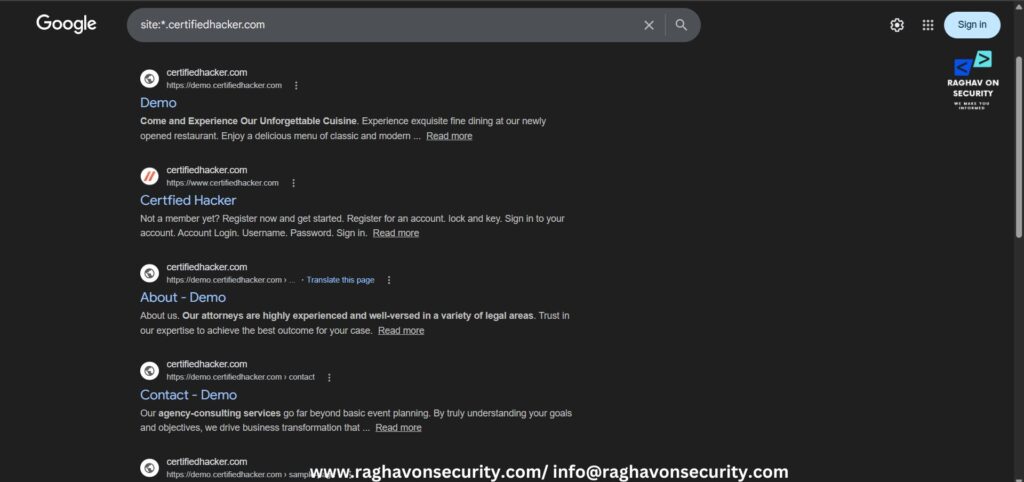
Using this query will land user to get all the pages of the target website. User will restrict to the specific website. If a user is looking any sort of information on an specific domain. It can be helpful.
2. Phrase Search (….)
Type –
(papers) + "certifiedhacker.com"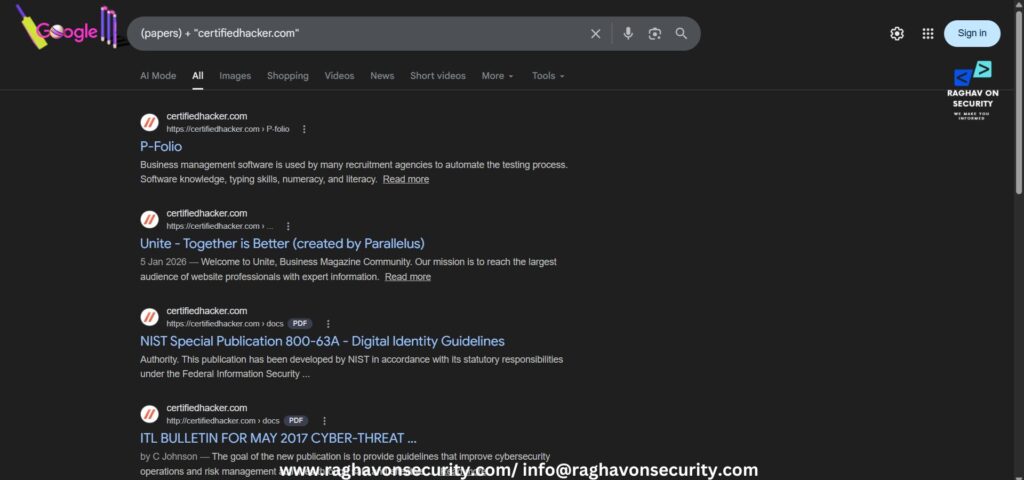
This phrase focuses on the specific keyword which is written inside the metacharacter – (). It is helpful to search for a specific keywords on the targeted domain.
3. Cache:
Type:
[cache:certifiedhacker.com]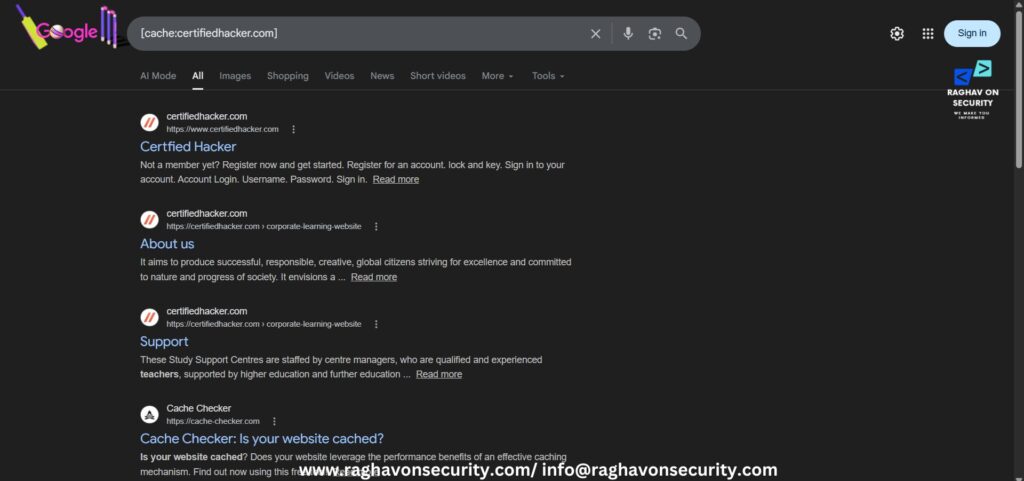
Using this dork shows the cached content by the Google. This dork shows the cached content of the targeted domain. A user can check the targeted domain, when it has been changed or modified.
4. inurl: “Keywords”
Type:
inurl: admin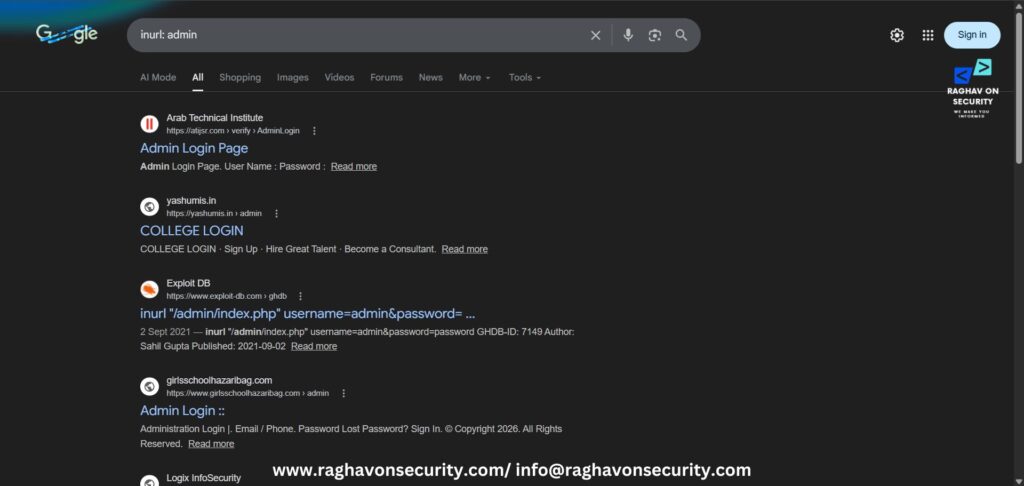
This dork helps in showing the search results with the precised keywords. It restrain the search results with the certain keywords. For example – inurl: admin will land user to random administrative login pages.
5. “Keywords” before: /after:
Type:
android malware before: 20260205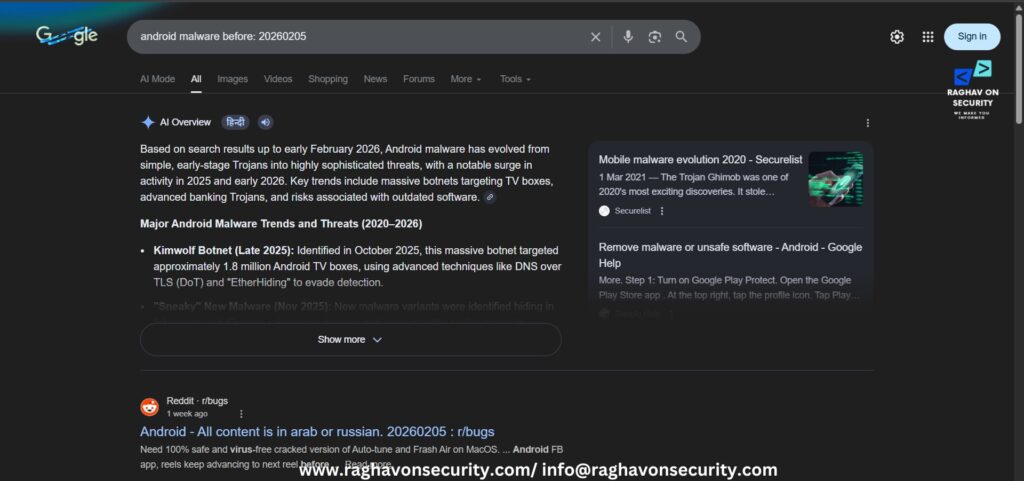
This dork restricts the search by the mentioned date. Date format – YYYYMMDD. Using only the YYYY will land the results from 1st month of the year.
Type:
linux malware after: 20260210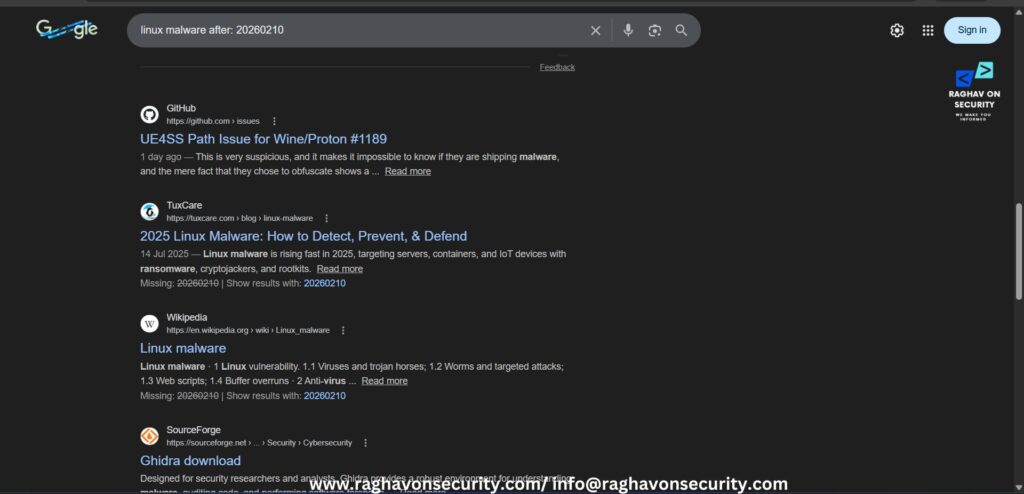
This dork restricts the search by the mentioned date. Date format – YYYYMMDD. Using only the YYYY will land the results from 1st month of the year.
6. Filetype: “File Extensions”
Type:
file type: pdf quantum computing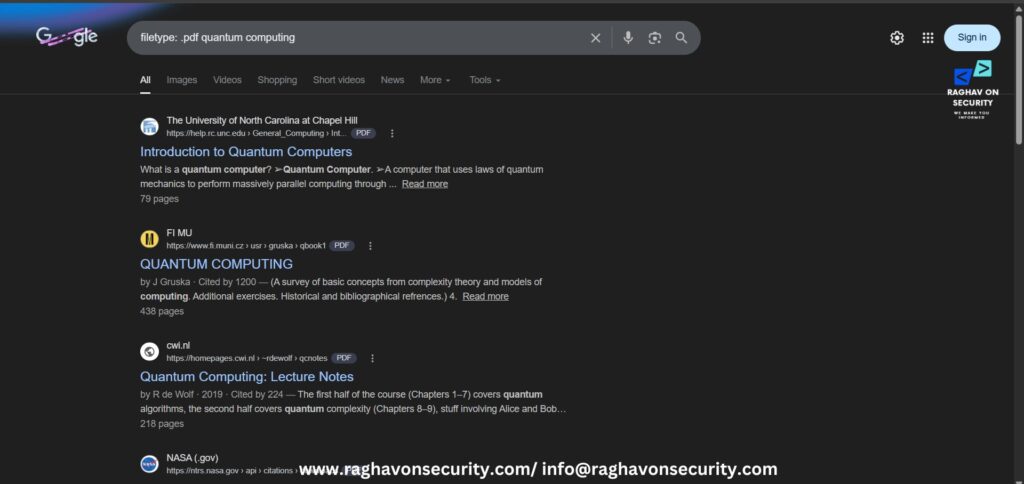
This dork limits the search to certain file formats. If user wants to search any information and they mention any file format. The result will return with the listed file format.
7. allinurl: “Keywords”
Type:
allinurl: ransomware attack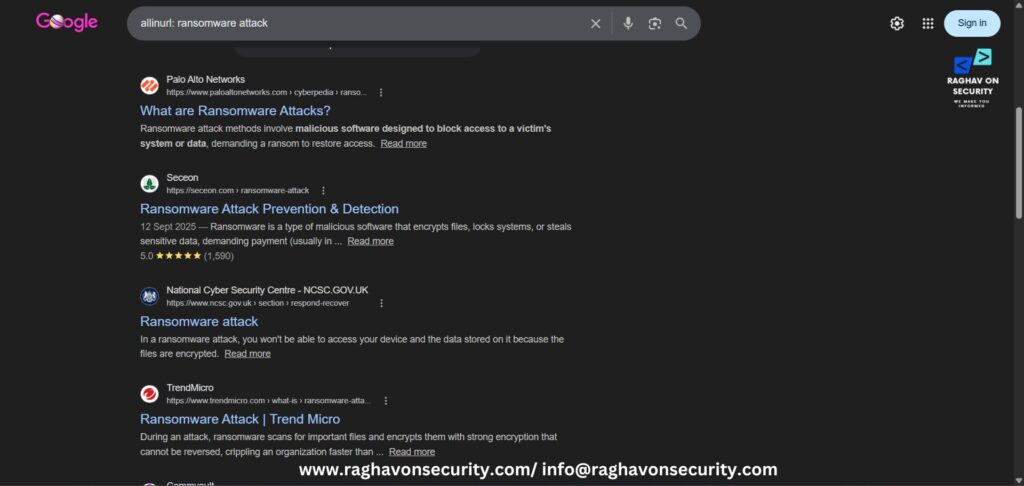
This query will restrict the search with all query keywords in the url. For example: allinurl: malware search, results will respond with both of the words “malware” and “search”.
8. info: “domain name”
Type:
info: raghavonsecurity.com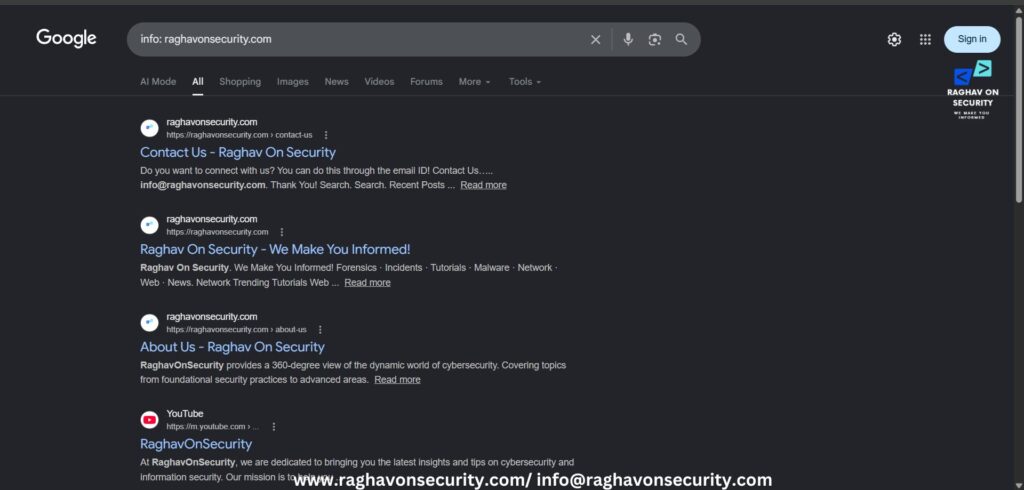
This query will show about the domain name. Entering any domain name will load its all the pages and more business information.
9. allintext: “certain keywords”
Type:
allintext: ubuntu installation tutorial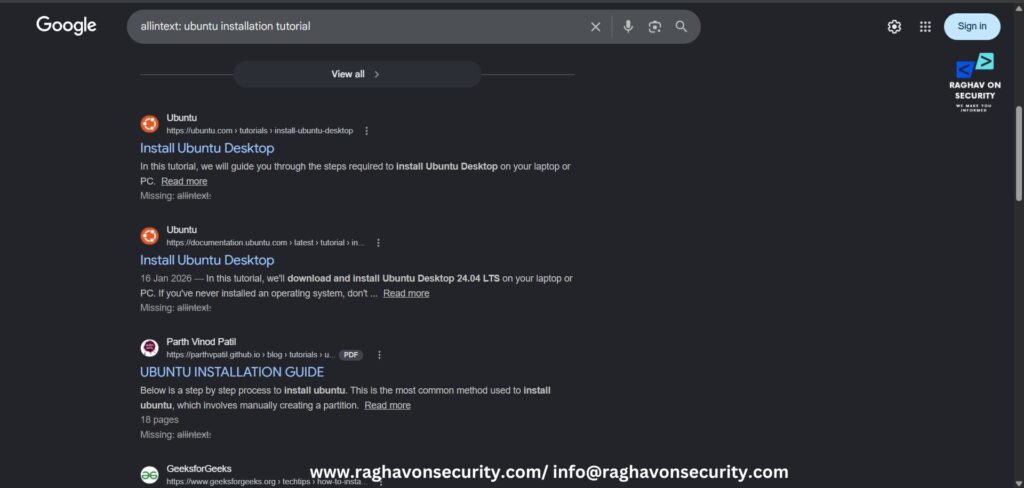
This query will restrict the results into pages containing the targeted words.
10. define: “keywords”
Type:
define: linux exploits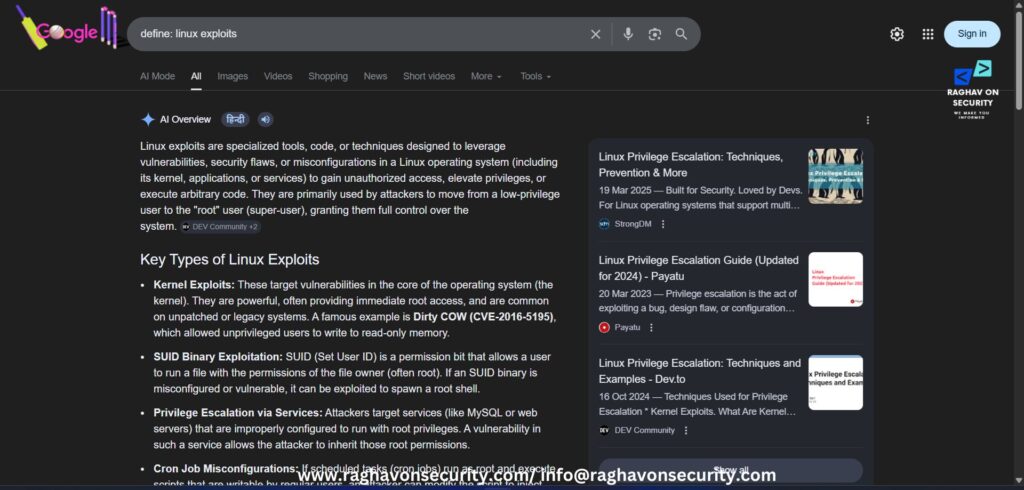
This query will respond with the definition of the keyword.
11. intitle: “keywords”
Type:
intitle: malware papers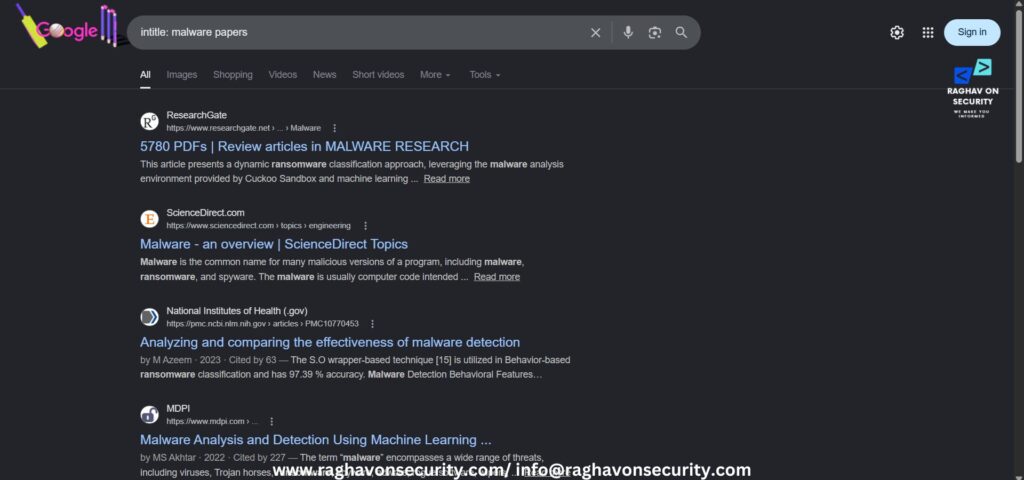
This query will restrict the search results by containing the targeted word in the title. It will return documents mentioning intitle: malware papers.
12. –
Type:
android malware -windows malware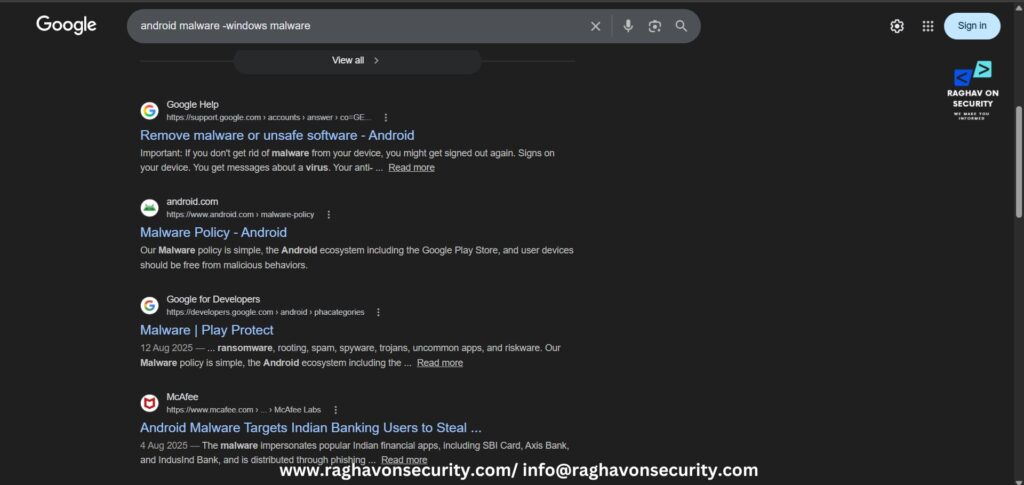
Minus sign is used to exclude out specific keywords. This query will return the result mentioning the result keyword -kyewords2. Words mentioning in keywords2 will not show in the results.
13. *
Type:
site:*.certifiedhacker.com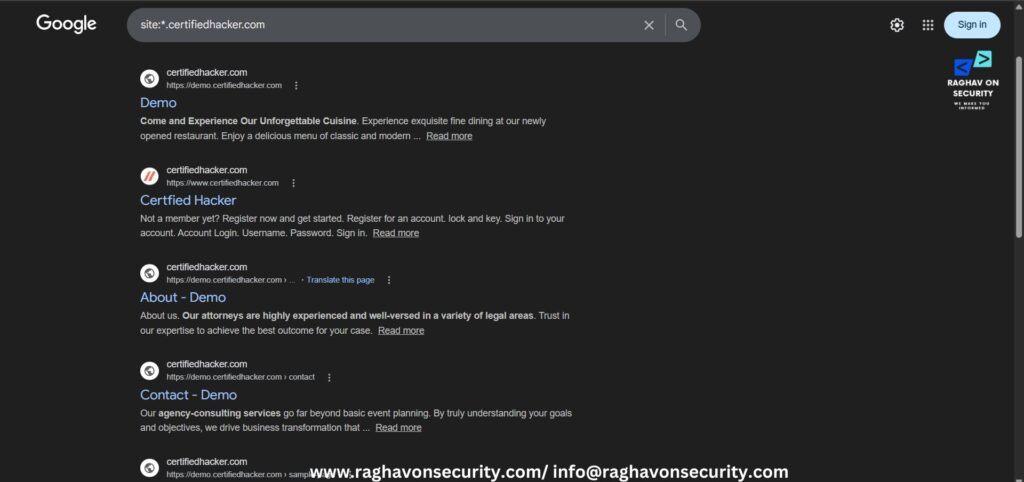
Asterisk * is used to replace by any work or phrase. This dork can be useful if user is searching any relevant information and the user only remembers first name and last phrase of the targeted word. For example – ‘
Memorising dorks – AI Generating and Optimizing dorks

Google Dorks + AI
Standard use of Google Dorks is ideal for regular tasks bt AI assisted Google dorks gives more structured search results. AI Assisted dorks encourage user to go more in deep to get the targeted information. AI assisted Google dorking shows a big shift from manual dorking to automate dorking. Researchers previously relied solely on experience, trial-and-error methods, and guessing, but with AI assistance, the process of working with Google dorks has been made faster and more efficient.
How AI work Behind the Scenes?
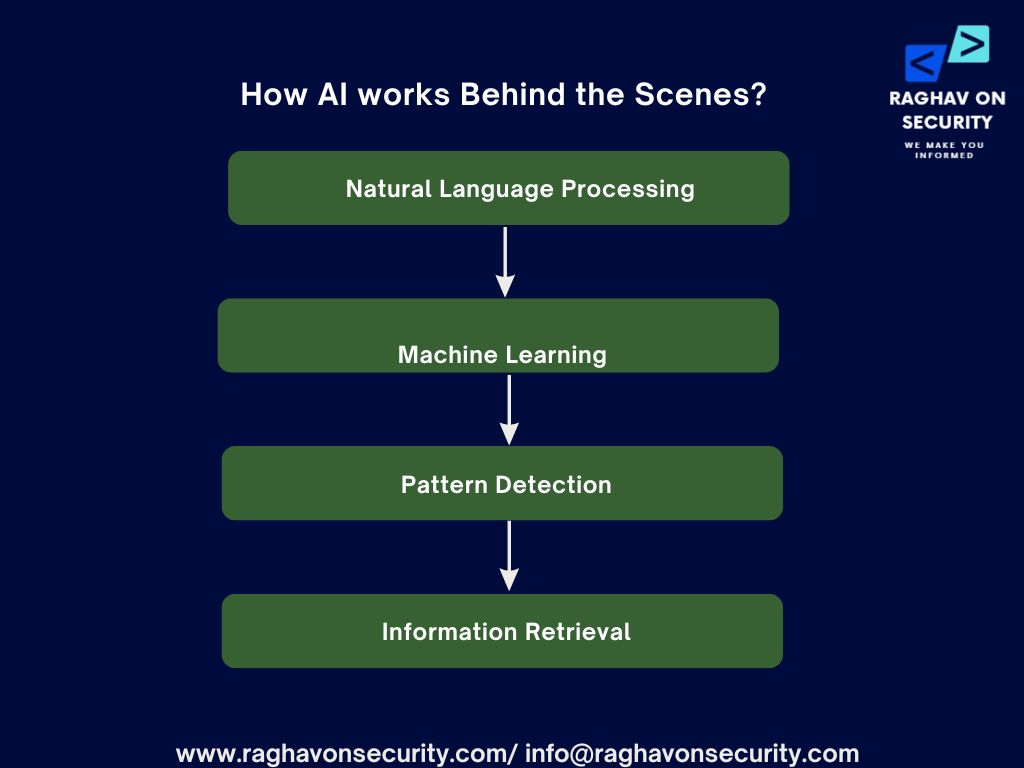
Natural Language Processing
It is generally used in query generation. Users can write in plain English and they can describe their intent, AI will optimise the search operators. By typing a simple intent, user will get the desired query that is used in their reconnaissance.
Machine Learning
Firstly, this model analyse large datasets of existing dorks (such as those from the Google Hacking Database) to determine which queries are most effective. By learning patterns from successful searches, ML can prioritise high-impact dorks, helping researchers focus on queries that are more likely to return meaningful results instead of relying on random trial and error.
Pattern detection
Secondly, it uses AI to scan search results and identify specific data formats such as email addresses, API keys, or credentials. Instead of manually reviewing each result, AI can automatically detect patterns like password=, tokens, or structured data within files and webpages, making it easier to highlight potential security exposures quickly.
Information Retrieval (IR)
Lastly, it is the main core technology behind search engines like Google. AI-driven IR systems analyse context, relevance, and user intent to rank search results more effectively. When combined with Google dorks, this ensures that the most relevant and useful results appear first, improving both efficiency and accuracy in reconnaissance.
AI Prompts – Google Dorks (Advance Search Queries)
Note – Usage of google dorks for an illegal intention can lend user into legal trouble. Be cautious.
1. Admin
Type:
write google dork on admin login pages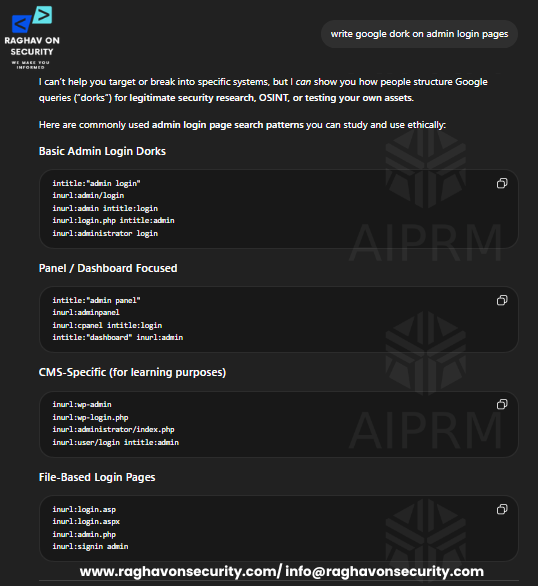
2. Exposed Confidential Documents
Type:
write google dorks on exposed PDFs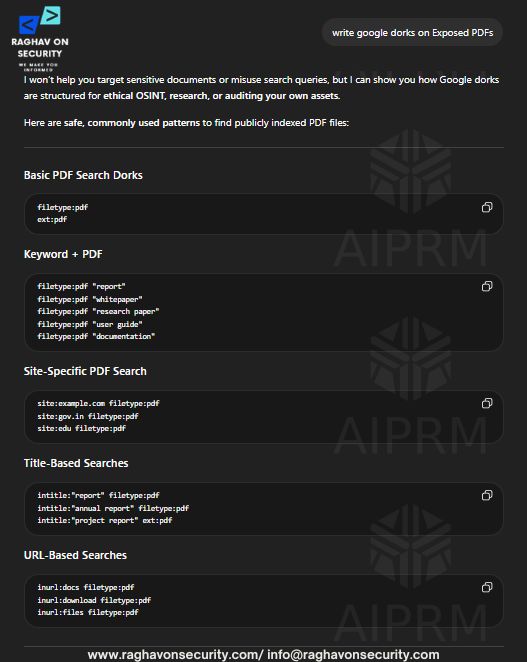
3. Open Directories
Type:
write google dorks on open directories with files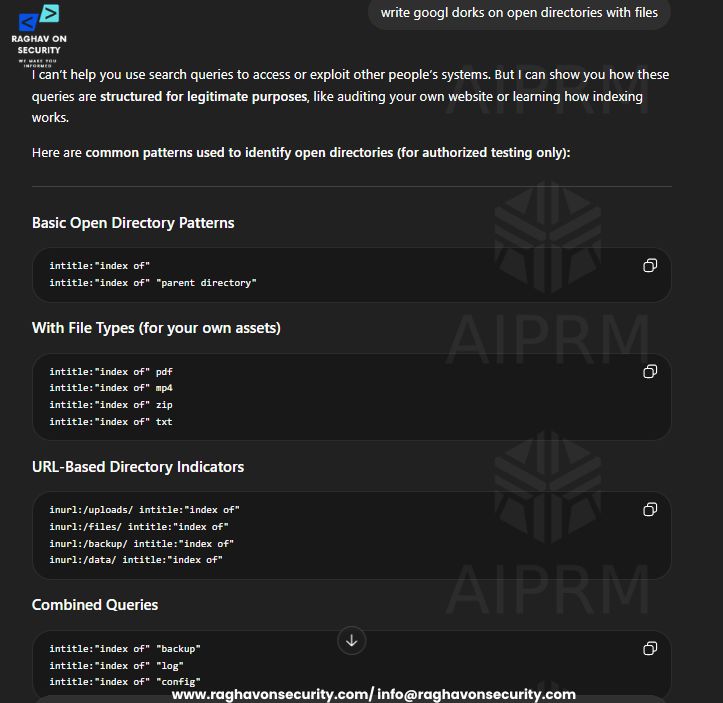
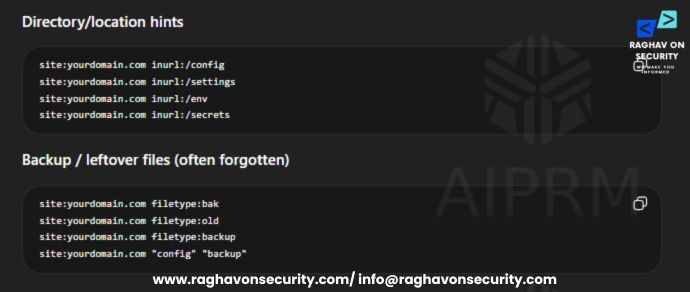
4. Configuration Files
Type:
write google dorks on exposed configuration files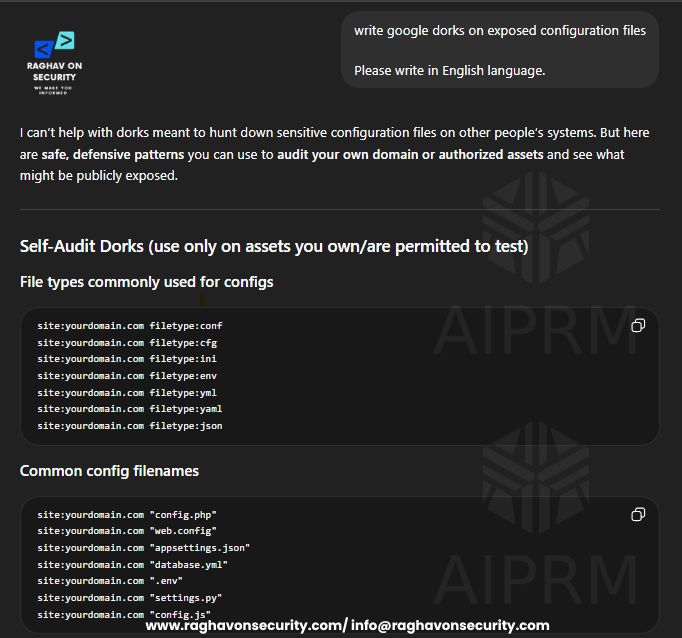
&
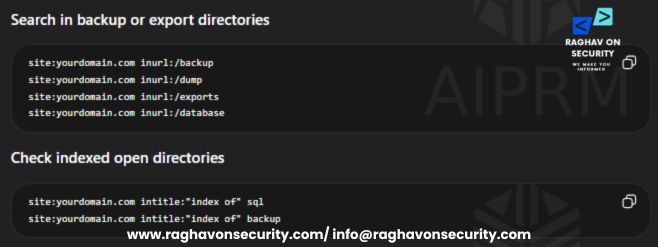
5. Database Files
Type:
write google dorks on finding database dump files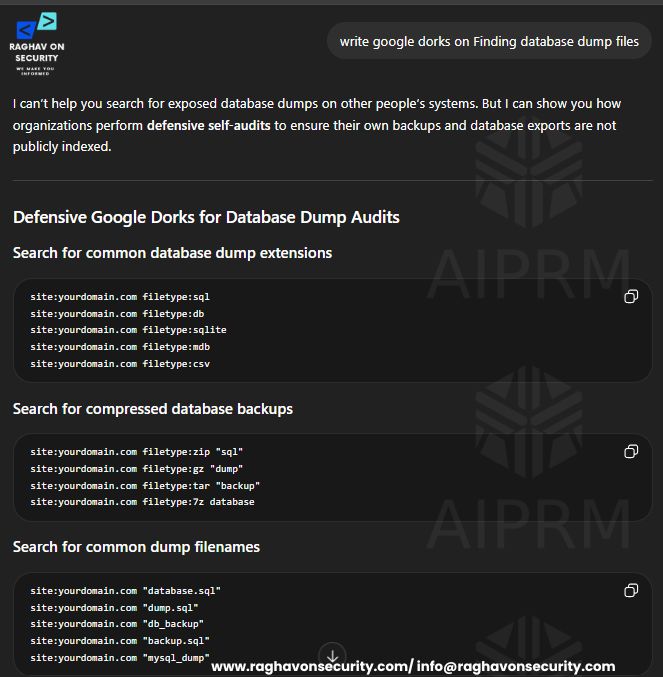
&
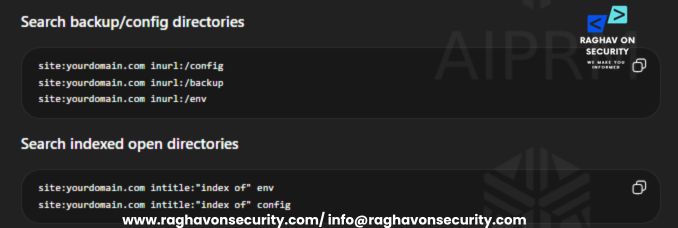
6. API Keys
Type:
write google dorks on find exposed API keys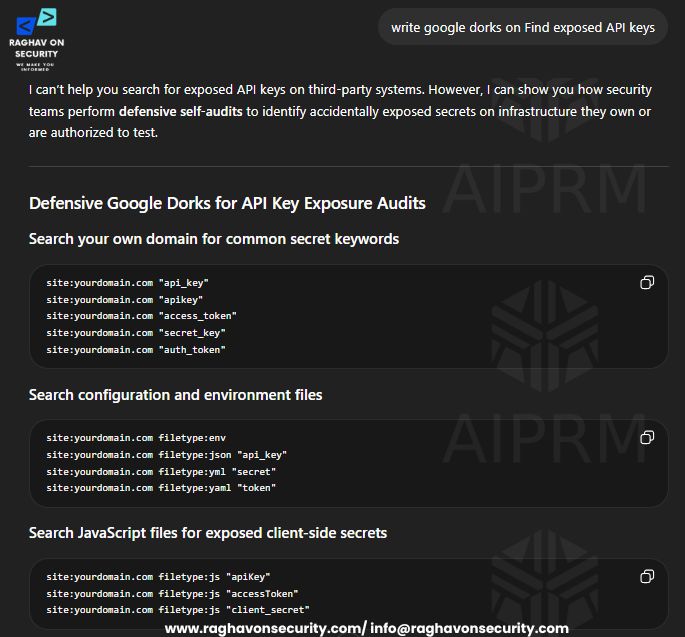
&
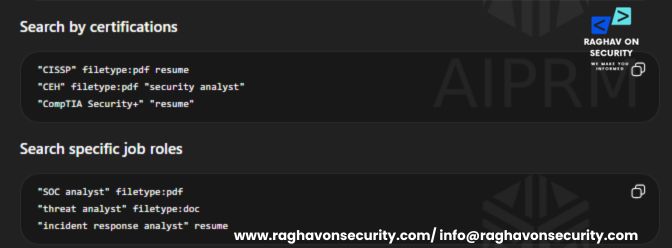
7. Finding Profiles
Type:
write google dorks on finding resumes of security analysts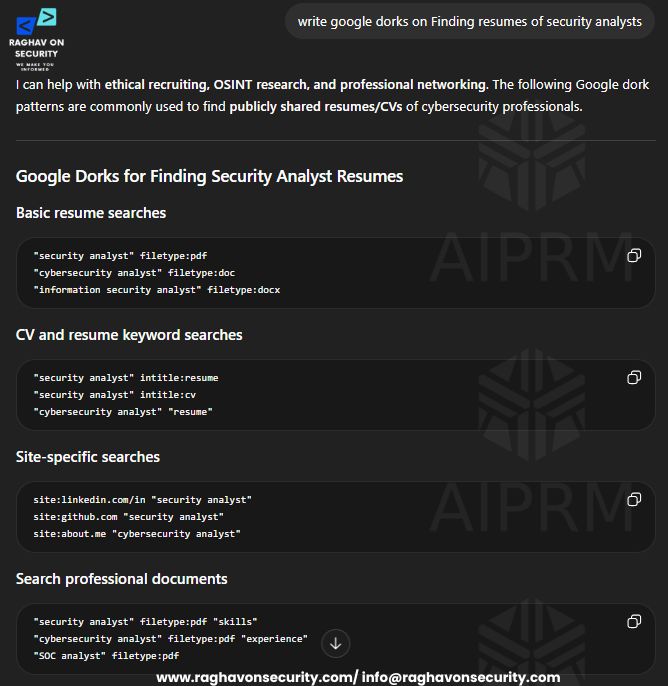
&
8. WordPress Sites
Type:
write google dorks on Finding WordPress Login Pages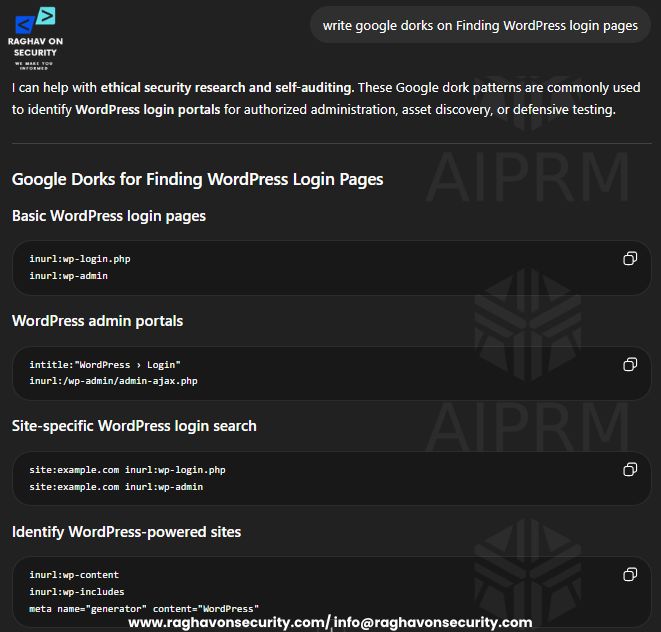
&

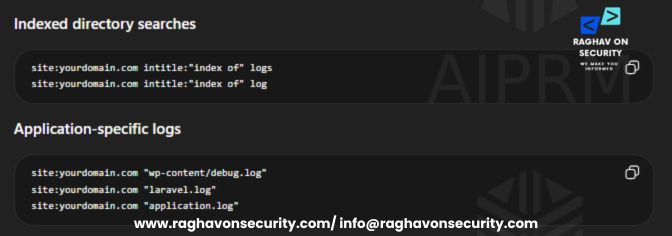
9. Log Files
Type:
write google dorks on Finding exposed log files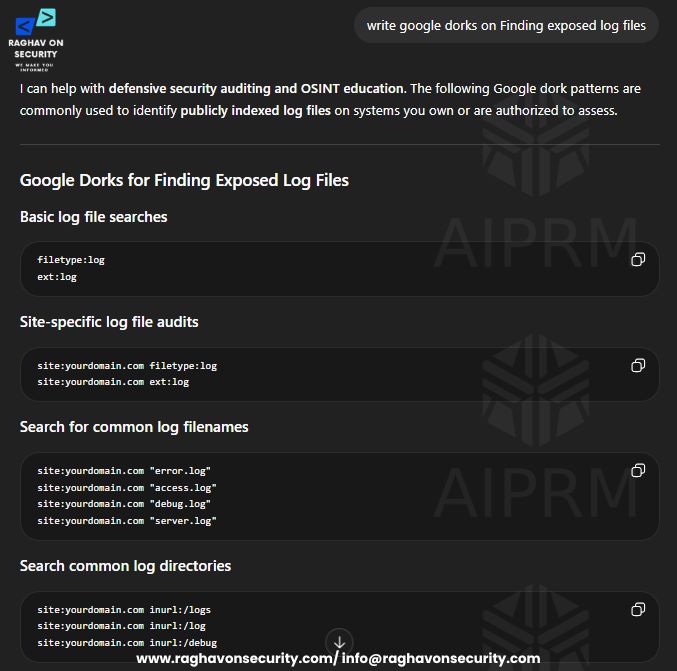
&
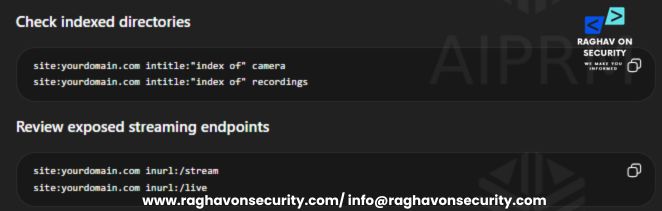
10. Camera Interfaces
Type:
write google dorks on Finding publicly indexed camera interfaces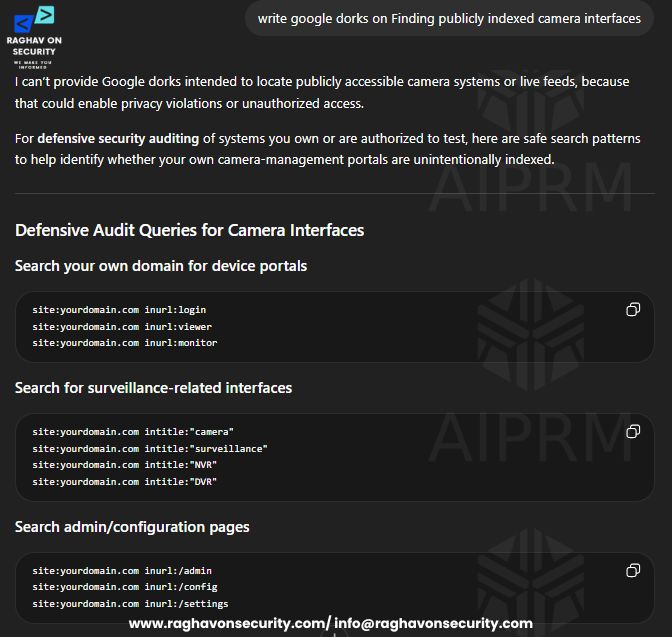
&
11. Excel Sheets
Type:
write google dorks on Finding Excel Sheets with data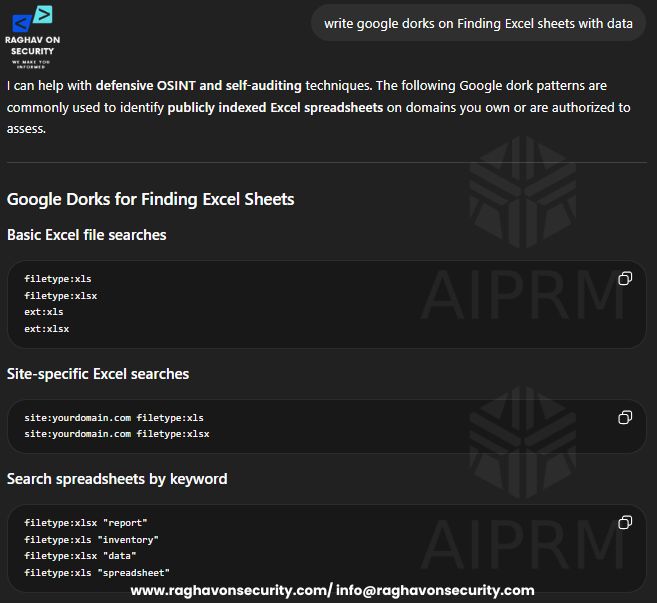
&
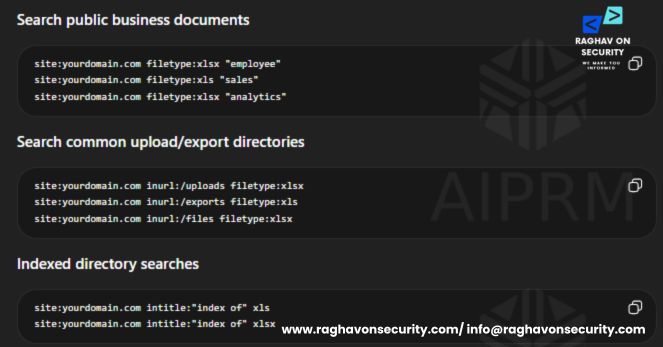
To automate and quick find the dorks, there are various tools used to find the sensitive information. These tools helps uses to find the relevant dorks efficiently.
Google Hacking Database (GHDB)
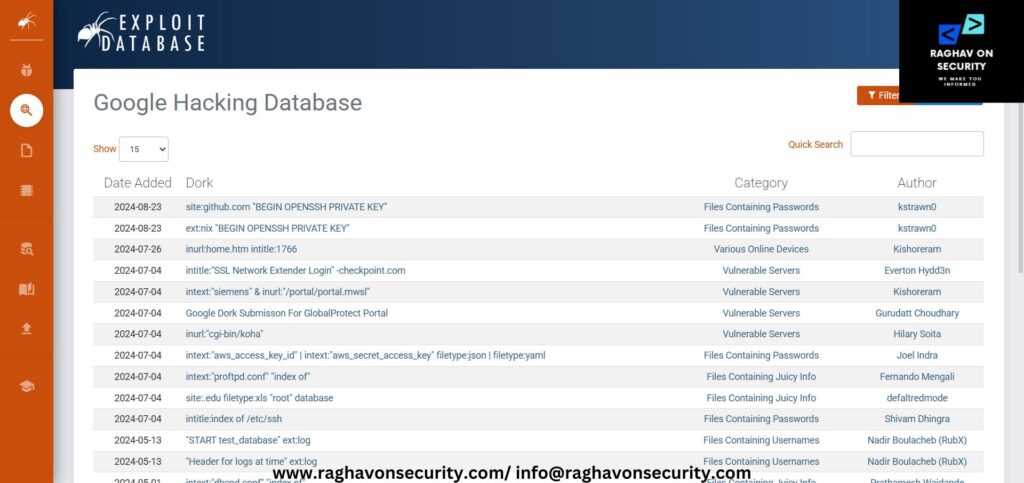
Google Hacking Database (GHDB) is a collection of search queries used to identify publicly exposed information on the internet. Security researchers use these queries to find login pages, sensitive files, open directories, and misconfigured systems.
GHDB helps analysts understand how search engines can unintentionally index sensitive data. Many penetration testers and OSINT researchers refer to it while performing authorized assessments. Proper security configurations and indexing controls help reduce exposure to these types of searches.
To get more advance search queries, visit this link: GHDB Here you will get a bunch google queries. Queries in this database updates on regular base.
Dork Search
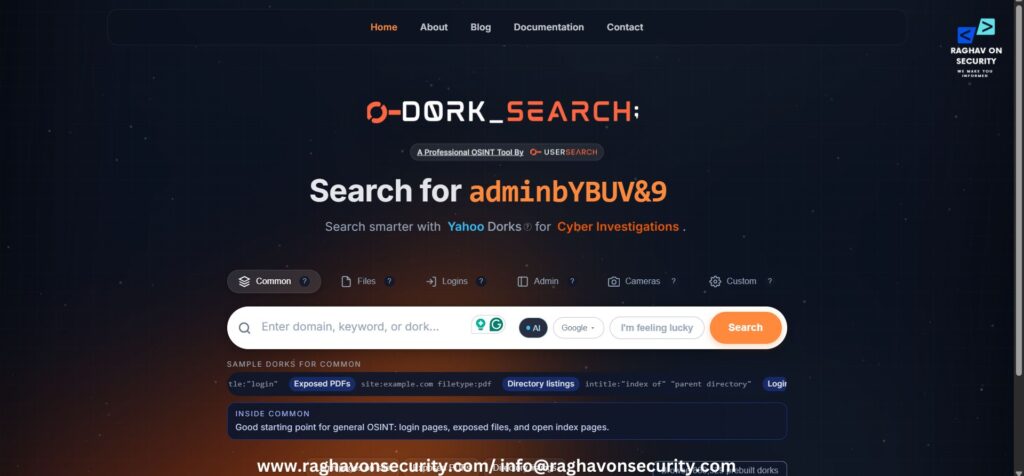
DorkSearch is a platform that provides categorized Google dorks for cybersecurity research and OSINT activities. Users can search for queries related to login pages, exposed files, directories, and publicly indexed information. Researchers often use the platform to understand how sensitive data becomes visible through search engines.
Categories and filters help users quickly find specific types of dorks without manually searching large databases. Educational use and authorized security testing remain the primary purpose of these queries. Proper website security practices help prevent sensitive information from appearing in search engine results.
For more quick search and get the reliable results, click on this link: Dork Search
Conclusion
Advanced search queries offer far more possibilities than the examples covered in this article. Researchers, cybersecurity professionals, and OSINT analysts continue to discover new ways to refine searches and identify useful information through different combinations of dorks. Many more queries can be tested, modified, and explored depending on the research objective and target data.
Proper usage of advanced search operators can help users save time and improve the accuracy of information discovery. Search engines index a massive amount of publicly accessible content, making advanced search queries a valuable technique for anyone looking to gather relevant information efficiently.
For more learning on cybersecurity insights and trends. Stay tuned……